TLDR
Your 30-Day GBP Plan
Set your baseline, then make 7 switches: pick precise categories, narrow service areas to where you actually win, accelerate review velocity, upload job-site photos weekly, post every week, seed Q&A with real buyer questions, and fix NAP + calls/text routing. Track calls, clicks, new reviews, and discovery queries.
Reading time: 8-10 minutes
Your Google Business Profile isn't just digital wallpaper, it's your fastest path to local visibility and weekly leads. Most pool builders and landscape contractors treat their profiles like static listings, missing out on a proven lead generation engine that works 24/7.
Here's the reality: Pretty photos alone don't move the needle. Calls increase when your profile aligns with what Google understands (relevance), what customers vouch for (prominence), and what prospects can act on (conversion potential).
In the next 30 days, these 7 strategic updates can transform your listing from passive to profit-generating.
In This Article
- Before You Start: Baseline & Tracking (10 minutes)
- Switch #1: Categories & Services (Relevance)
- Switch #2: Service Area (Relevance)
- Switch #3: Review Velocity (Prominence)
- Switch #4: Photos & Videos (Conversion)
- Switch #5: Weekly Posts (Conversion)
- Switch #6: Q&A as Mini Landing Pages
- Switch #7: Perfect NAP & Conversion Paths
- 30-Day Roadmap & KPIs
- FAQs
Why Your GBP Is Leaving Money on the Table
Google doesn't just care how your profile looks, it evaluates how well your listing performs across three critical signals:
This playbook optimizes all three, transforming your profile into a lead magnet that generates results while you're on the job site.
Before You Start: Baseline & Tracking (10 minutes)
You can't improve what you don't measure. Establish your starting point now so you can prove ROI later.
Track these metrics today:
Set up tracking: Add UTM tags to your GBP "Website" button:
?utm_source=google&utm_medium=gbp&utm_campaign=listing
Note your primary city, plus 3-5 key suburbs where you want more leads.
Simple tracking template: Date | Calls | Website Clicks | Direction Requests | Avg. Rating | New Reviews (30d) | Top Queries | Notes
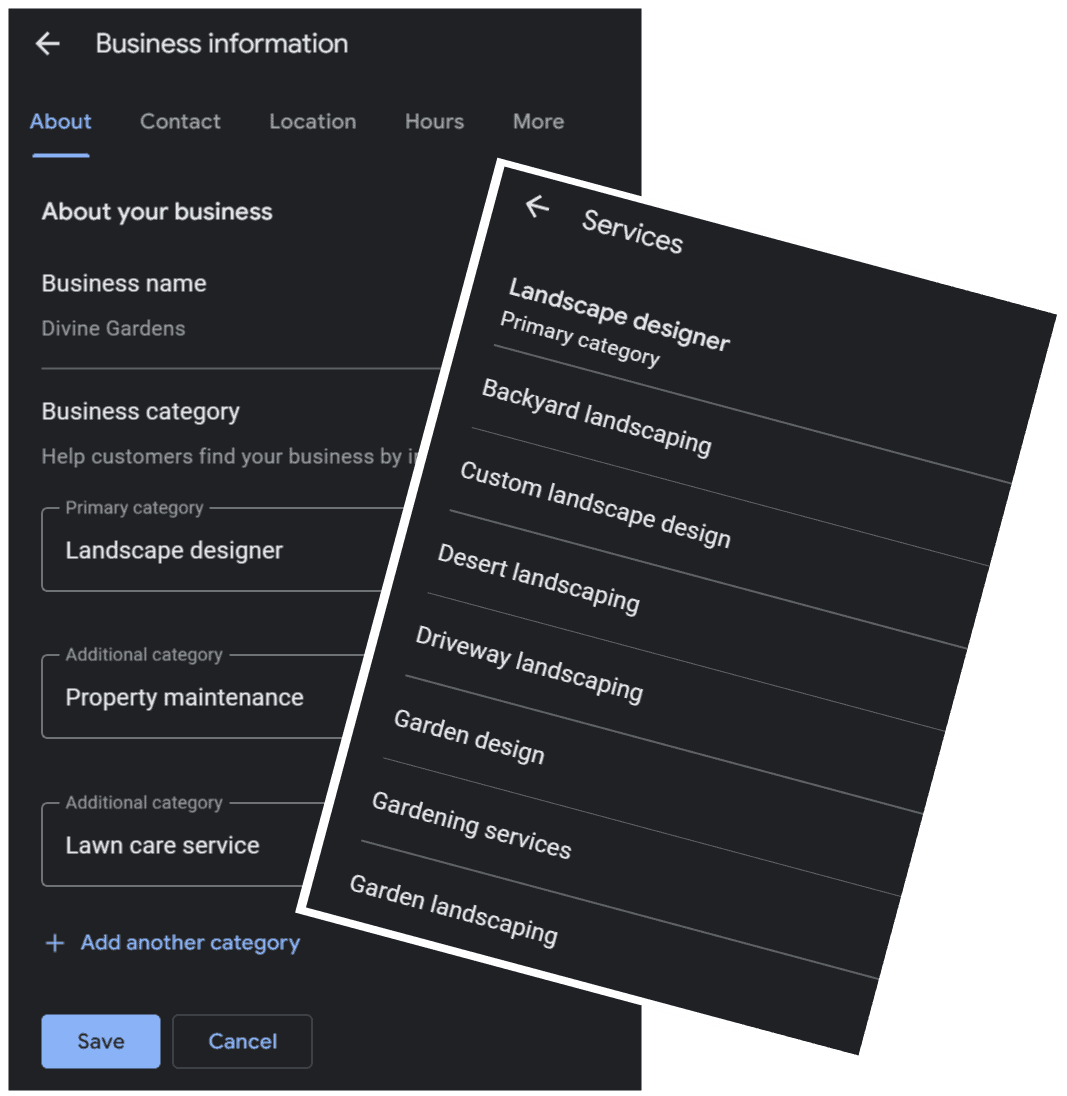
Switch #1: Master Your Categories & Services (Relevance)
What to do:
Why it works: Google ranks profiles by matching user intent with your category and service entities. Over-stuffing confuses the algorithm; precision wins every time.
Pro tips:
Tie each category to at least one service and photo album
Add a "Design Consultation" product with pricing to attract high-intent searchers
Use terminology your customers actually use, not industry jargon
Switch #2: Optimize Your Service Area for Reality (Relevance)
What to do:
Why it works: The broader your claimed area, the weaker your local relevance. Tighter service zones boost visibility in areas you can actually win and serve well.
Pro tips:
Mirror your website's city pages and project portfolios
Mention priority locations naturally in your Services and Q&A sections
Update based on where you're actually booking work
Switch #3: Build Review Velocity (Prominence)
What to do:
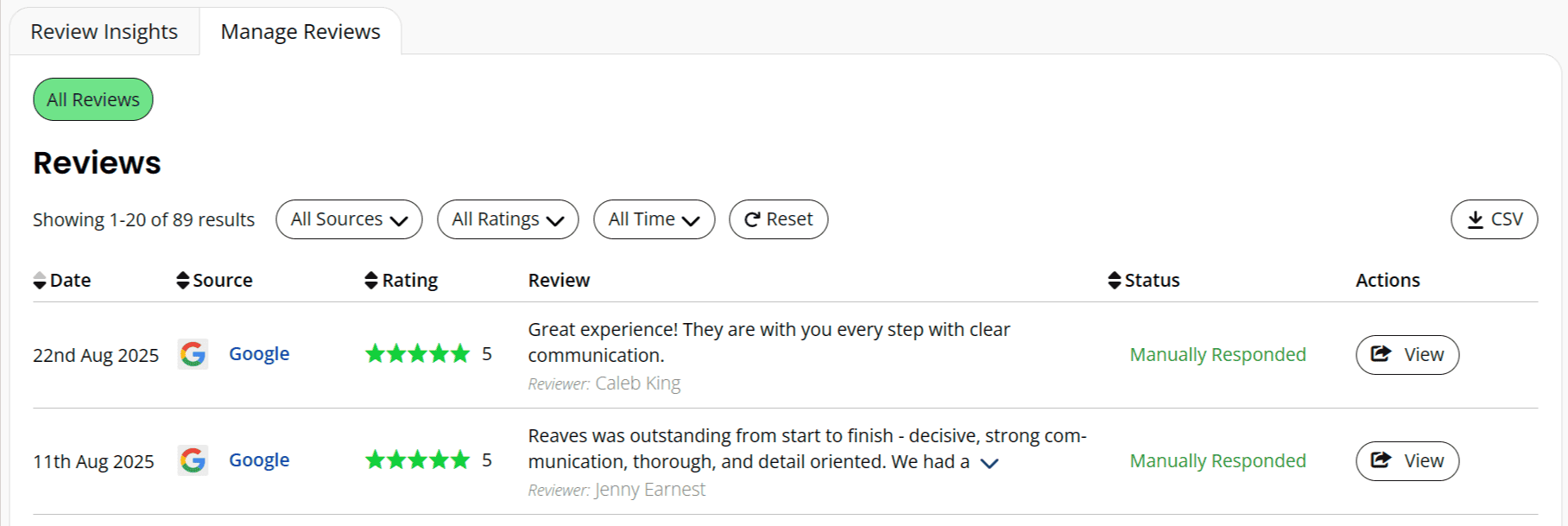
Why it works: You don’t need a perfect 5.0 rating. What matters is recency, volume, and topical depth. Google favors businesses that keep reviews flowing steadily, and so do your prospects. If you’d rather not manage the process alone, check out our review generation campaigns and monthly strategy designed specifically for pool and landscape pros.
Request scripts:
Text (short): "Thanks for trusting us with your {service} in {city}. Mind sharing a quick Google review? It helps local homeowners find us: {shortlink}"
Email follow-up: "If we earned 5 stars, would you mention the project type (e.g., pool remodel) and city? It helps others choose confidently."
Response templates:
5-star response: "Thanks, {Name}! Glad the {service} came together on time in {city}. We'll share your note with {crew member}. Enjoy the season!"
3-4 star recovery: "{Name}, we appreciate the feedback on {service}. We've {specific action taken}. I'll call today to ensure everything meets your expectations."
See which 2–3 switches will move calls fastest in your city.
We’ll:
Configure your categories + service areas
Install review request + response workflows
Set your 4-week post + Q&A plan
Add UTM tracking + a custom scorecard
Switch #4: Upgrade Photos & Videos for Conversion
What to do: Upload 12-16 new photos over 30 days across these categories:
Add 2 short videos (10-30 seconds): lighting reveals, equipment demonstrations, or process highlights.
Why it works: Prospects decide with their eyes first. Process and people shots build trust and reduce perceived risk, while a strong cover photo improves click-through rates from Maps and Search.
Pro tips:
Skip EXIF manipulation tricks; focus on clear, relevant visuals
Use natural captions with city and project type ("Pebble finish remodel - Plano")
Maintain a weekly upload plan (3-4 photos every Friday) to keep your profile fresh
See which 2–3 switches will move calls fastest in your city.
We’ll:
Configure your categories + service areas
Install review request + response workflows
Set your 4-week post + Q&A plan
Add UTM tracking + a custom scorecard
Switch #5: Post Weekly to Stay Top-of-Mind (Conversion)
4-Week Posting Plan:
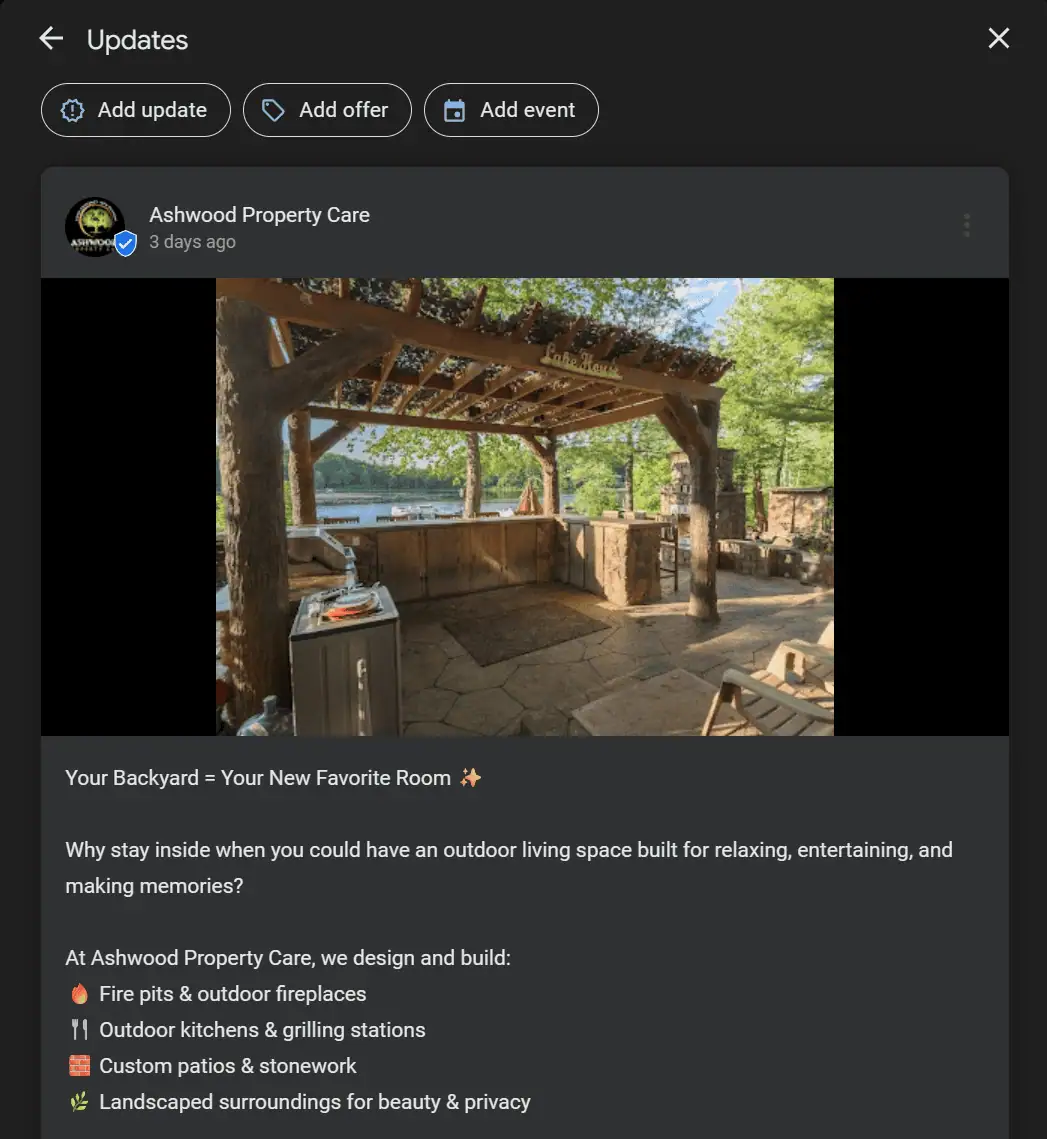
Why it works: Posts aren't just for clicks, they show Google you're active and surface in both branded and category searches.
Pro tips:
Add urgency: "Book by October 31st"
Use UTM links in all "Learn More" calls-to-action
Repurpose content from your website or social media
See which 2–3 switches will move calls fast.
We’ll: Configure your categories + service areas; Install review request + response workflows; Set your 4-week post + Q&A plan; and Add UTM tracking + a custom scorecard
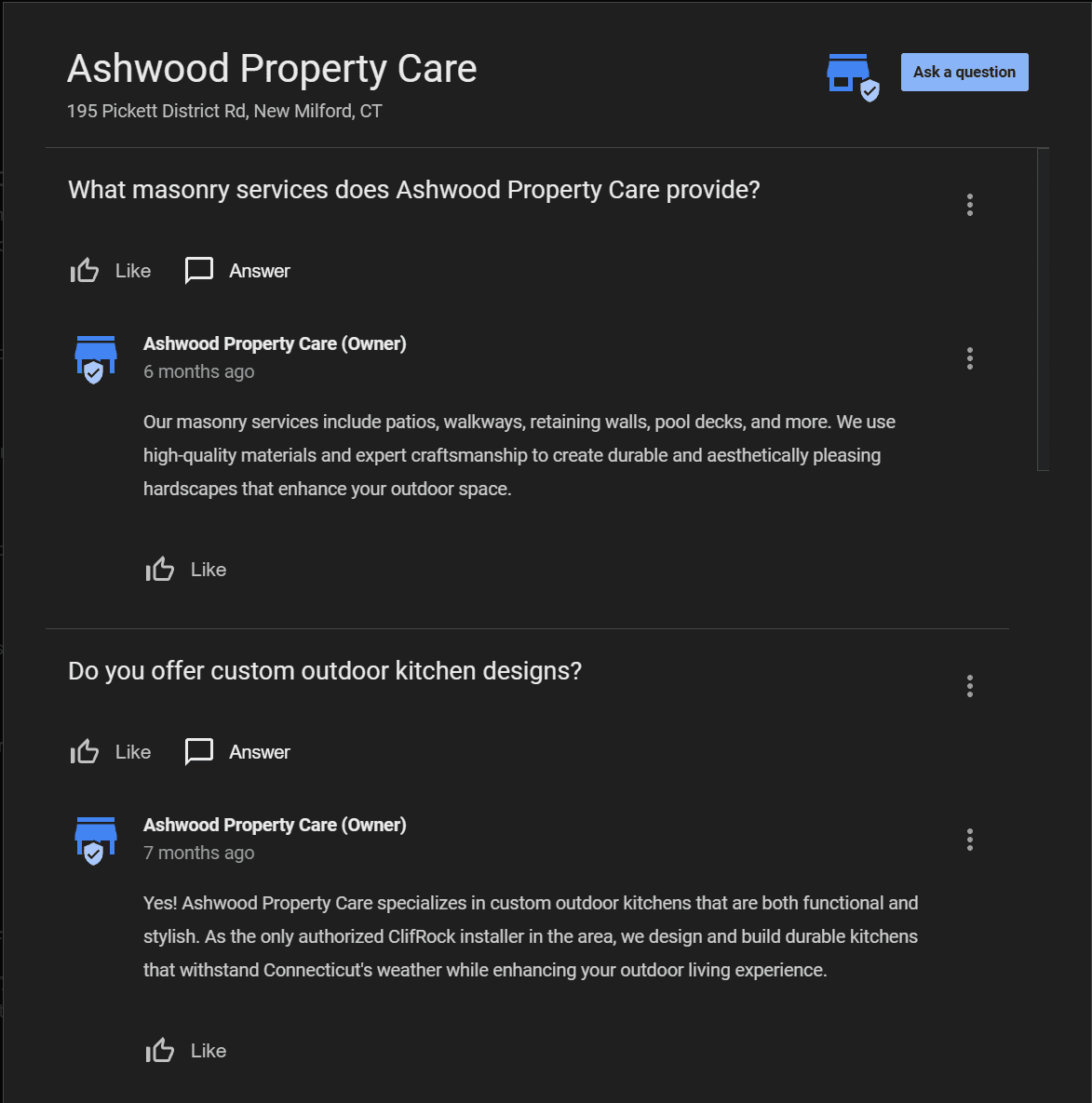
Switch #6: Leverage Q&A Like Mini Landing Pages (Relevance + Conversion)
What to do:
Cover topics like:
Why it works: GBP Q&A content is indexable and adds topical depth while pre-handling common objections, without requiring a website visit.
Switch #7: Perfect NAP & Conversion Paths (Trust + Conversion)
What to do:
Why it works: Inconsistent NAP information kills both trust and visibility. Text-back features help you capture leads when you’re busy on job sites, while booking-ready links reduce friction for new customers. And ultimately, trust comes from people as much as platforms, learn more about why contractors rely on our GBP playbook and approach to win consistent local leads.
Pro tips:
Use voicemail messages that promise quick text follow-ups
Create short, branded domains for review links to increase clicks
Test your phone system regularly to ensure calls connect properly
Your 30-Day Implementation Roadmap
Week 1:
✅ Optimize categories and services
✅ Refine service areas
✅ Set up baseline tracking
Week 2:
✅ Launch review request system with 3 trigger points
✅ Start responding to all reviews
✅ Upload 4 high-quality photos
Week 3:
✅ Begin weekly posting schedule
✅ Seed Q&A with 5-7 common questions
✅ Add 4 more photos
Week 4:
✅ Audit and perfect NAP consistency
✅ Upload 1 video and 4 final photos
✅ Review metrics and plan next month
Key KPIs to track: Calls, website clicks (via UTM), new reviews, post interactions, and top discovery queries.
Real Results from Real Businesses
Mid-Market Pool Remodeler: Cut service areas from 28 to 9 cities → +27% calls and +18% website clicks in 30 days. This was implemented using our proven Google Business Profile management.
2-Crew Pool Service Company: Weekly posts + 10 new reviews → Improved Map Pack visibility and a text-back system saved 4 missed leads in the first month. These results are grounded in the same playbook we explain further in our Pool & Patio Growth Blueprint™
Ready to Turn Your Profile Into a Lead Generator?
These 7 updates work because they address the real factors Google uses to rank local businesses. But implementation details matter, and that's where most contractors get stuck.
Want to see which 2-3 updates will move the needle fastest in your market?
We'll show you exactly how to:
• Configure your categories and service areas for maximum visibility
• Install review request and response workflows that actually work
• Set up your 4-week posting and Q&A optimization plan
• Add proper UTM tracking with a custom performance scorecard
FAQs
What category should a pool builder choose on GBP?
Choosing the right categories on your Google Business Profile is critical for attracting the right customers. Your primary category should be the most accurate description of your main business.
For a pool builder, the best primary category is "Swimming Pool Contractor."
After selecting your primary category, you can and should add additional categories to cover all the services you offer. This helps you appear in a wider range of searches.
Recommended Additional Categories for a Pool Business:
-
Swimming Pool Repair Service: If you offer repairs and maintenance.
-
Pool Cleaning Service: For businesses that provide regular cleaning.
-
Hot Tub Store: If you also sell and install hot tubs or spas.
-
Spa and Hot Tub Repair: For repair services related to spas.
-
Swimming Pool Supply Store: If you have a retail location that sells pool supplies.
Only choose categories that accurately represent the services you provide. Adding irrelevant categories can confuse Google's algorithm and negatively impact your ranking for the services you actually offer.
How many cities should a service-area business list?
For a service-area business like a pool builder, Google allows you to list up to 20 service areas. However, it's more effective to be strategic than to simply max out the limit.
Best Practices for Service Areas:
-
Be Realistic: Your service area should not extend more than about a 2-hour drive from where your business is based. Listing areas you can't realistically serve can lead to a poor customer experience and negative reviews.
-
Focus on Core Markets: Instead of listing every single town, focus on the main cities, counties, or even specific zip codes where you have a strong customer base or want to grow your business.
-
Be Specific: You can list your service areas by city, postal code, or other defined areas. For example, instead of just "Maryland," you could list "Anne Arundel County," "Annapolis," "Severna Park," and specific surrounding zip codes. This helps you show up in more targeted local searches.
-
Don't Keyword Stuff: Your service areas should be actual locations you serve. Adding irrelevant locations will not help your ranking and may even get your profile flagged.
The key is to accurately reflect the geographic area you can reasonably and efficiently provide services to.
How fast should I ask for reviews after a project?
You should ask for a review as soon as the project is complete and your client is visibly happy with the results. The ideal window is within 24 hours of project completion. This is when the positive experience is fresh in their mind, and they are most likely to leave a detailed and enthusiastic review.
For best results:
-
Ask in person: If you're on-site for the final walkthrough and the client expresses their satisfaction, that's a perfect time to ask. You can say something like, "We're so glad you love your new pool! Would you be willing to share your experience on Google? It really helps us out."
-
Follow up digitally: Send a follow-up email or text message within a day with a direct link to your Google Business Profile review page. This makes it as easy as possible for them to leave a review.
-
Gentle reminders: If you don't get a review after the initial request, it's acceptable to send a polite reminder a week or two later.
Do posts still matter on GBP for pool pros?
Yes, absolutely! Google Business Profile (GBP) posts are a crucial and free tool to boost your local search ranking and engage with potential customers. Regularly posting signals to Google that your business is active and relevant.
Here's why posts matter and how to make them effective:
-
Improved Local SEO: Consistent posting can improve your visibility in local search results and on Google Maps.
-
Customer Engagement: Use posts to showcase your work, announce special offers, share company news, and highlight positive customer reviews.
-
Stand Out from Competitors: Many businesses neglect their GBP posts, so consistent activity can give you a competitive edge.
Best Practices for GBP Posts:
-
Post weekly: Aim for at least one new post per week to keep your profile fresh.
-
Use high-quality photos and videos: Visuals are key for pool and landscape pros. Showcase your best projects.
-
Include a call to action (CTA): Encourage users to "Call Now," "Learn More," or "Visit Website."
-
Utilize relevant keywords: Use terms that potential customers would use to search for your services, such as "pool installation," "landscape design," or "patio construction."
What photos help Maps clicks the most?
High-quality, authentic photos are one of the most powerful features of your Google Business Profile. They give potential customers a visual representation of your work and can significantly increase clicks from Google Maps. Here are the types of photos that will get you the most engagement:
- Completed Projects (Before and After): For pool and landscape pros, "before and after" photos are incredibly compelling. They showcase the transformative power of your work.
- "At Work" Photos: Show your team in action. This could be during the construction process, installing a new feature, or performing maintenance. It helps to humanize your business and build trust.
- Team Photos: A friendly photo of your team shows that you're a real, local business with people who take pride in their work.
- Exterior Photos: If you have a physical office or showroom, include photos of the exterior, entrance, and signage to help customers find you easily.
- High-Quality Videos: Short video clips of completed projects, such as a walkthrough of a new backyard oasis or a time-lapse of a build, can be very engaging.
Photo Tips:
- Use high-resolution images: Blurry or pixelated photos look unprofessional.
- Good lighting is key: Take photos on bright, sunny days to make your projects look their best.
- Be consistent: Regularly add new photos to keep your profile updated and engaging.
Interested in having us implement this 30-day optimization for your business?
Ready to implement, but want the step-by-step checklist? Download our GBP DIY Audit Checklist with category mapping worksheets, 30-day optimization calendar, review scripts, and UTM setup guide.
A no-fluff checklist and workflow to turn a quiet Google Business Profile into a weekly call generator, built for pool & outdoor living brands.

About the Author
Pam Haskell is the founder of Pool & Patio Digital, a marketing agency dedicated to helping pool builders and landscape professionals win more local leads online. With over a decade of experience in outdoor living and digital strategy, Pam is a member of the Pool & Hot Tub Alliance (PHTA) and writes regularly on local SEO for service businesses.
Connect on LinkedIn | Read Featured Articles in Top Industry Publications